-
Using IBM ID with Arc
When your IBM Planning Analytics (TM1) instances are hosted in the IBM Cloud SaaS (PA SaaS), you can use your IBM ID credentials with Arc.
-
Monitor. Understand. Migrate. TM1.

Do you know what is happening on your IBM Planning Analytics (TM1) applications? Do you understand why it happened? How do you migrate changes to production while reducing server downtime? Pulse can help you with all of this…
-
Arc v2.4 is now available
Arc v2.4 introduces a new exciting feature targeted at environments that have many admin hosts and connections, it is called server groups. It is now possible to group multiple IBM Planning Analytics (TM1) admin hosts and connections together and toggle between the groups:
-
Grouping TM1 servers and instances in Arc
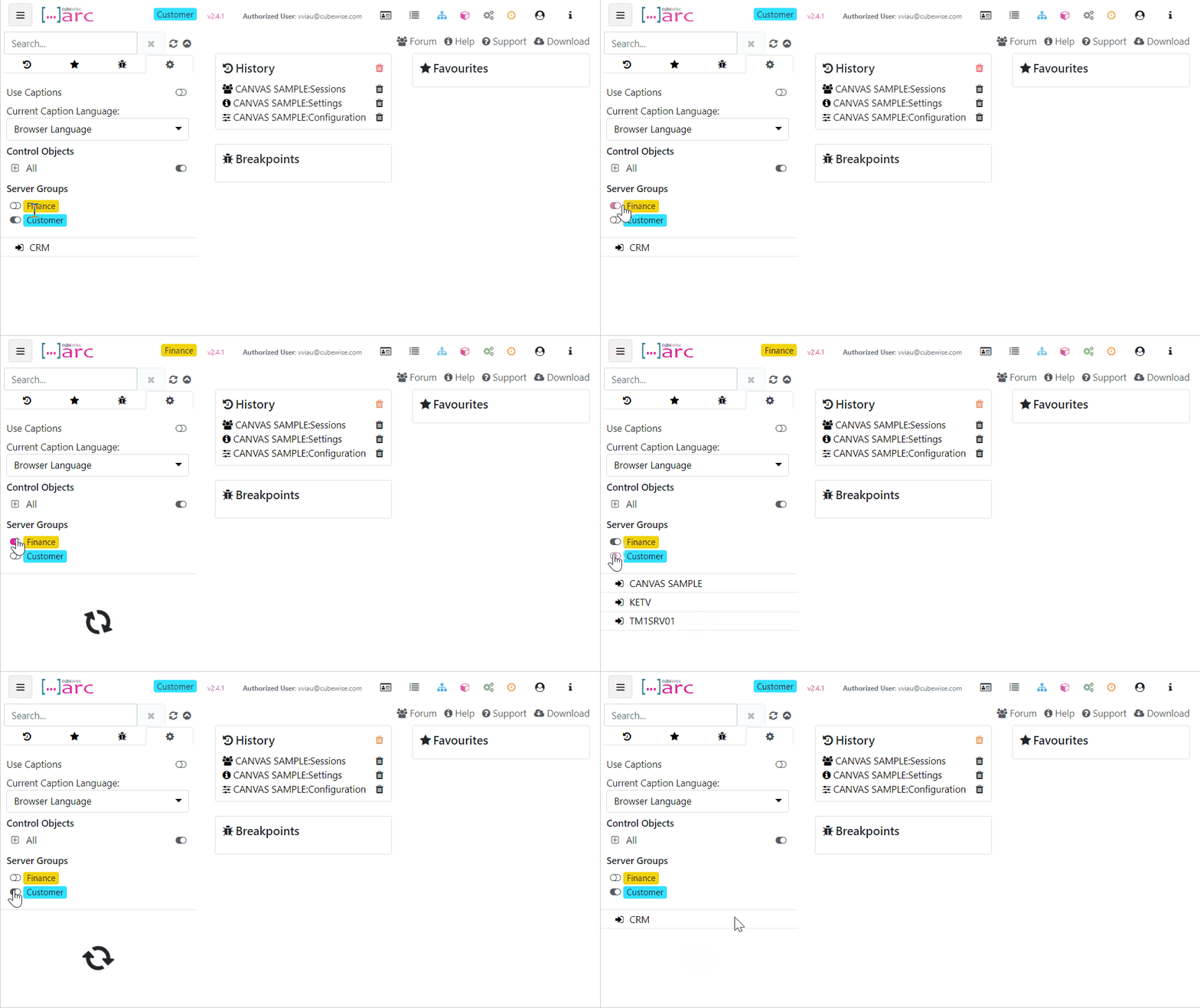
Starting with Arc v2.4, we have added additional support for multiple admin hosts and connections so you can group them together and toggle between the groups, we have called them Server Groups. This is targeted at environments that have many admin hosts and connections:
-
Using IBM ID to login to Pulse
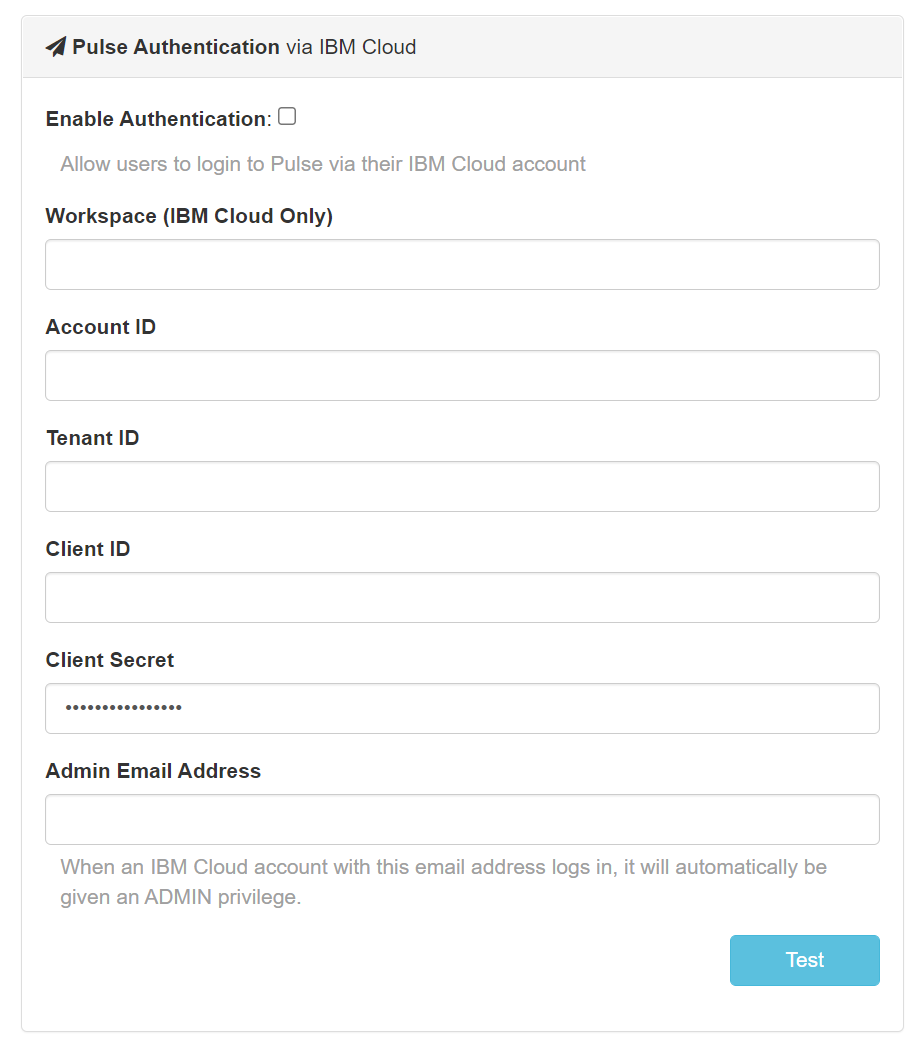
When Pulse is monitoring IBM Planning Analytics (TM1) hosted on the IBM Cloud, starting with Pulse v6.0.3, you can now use your IBM ID to login to Pulse.
-
Executing the System Summary Report
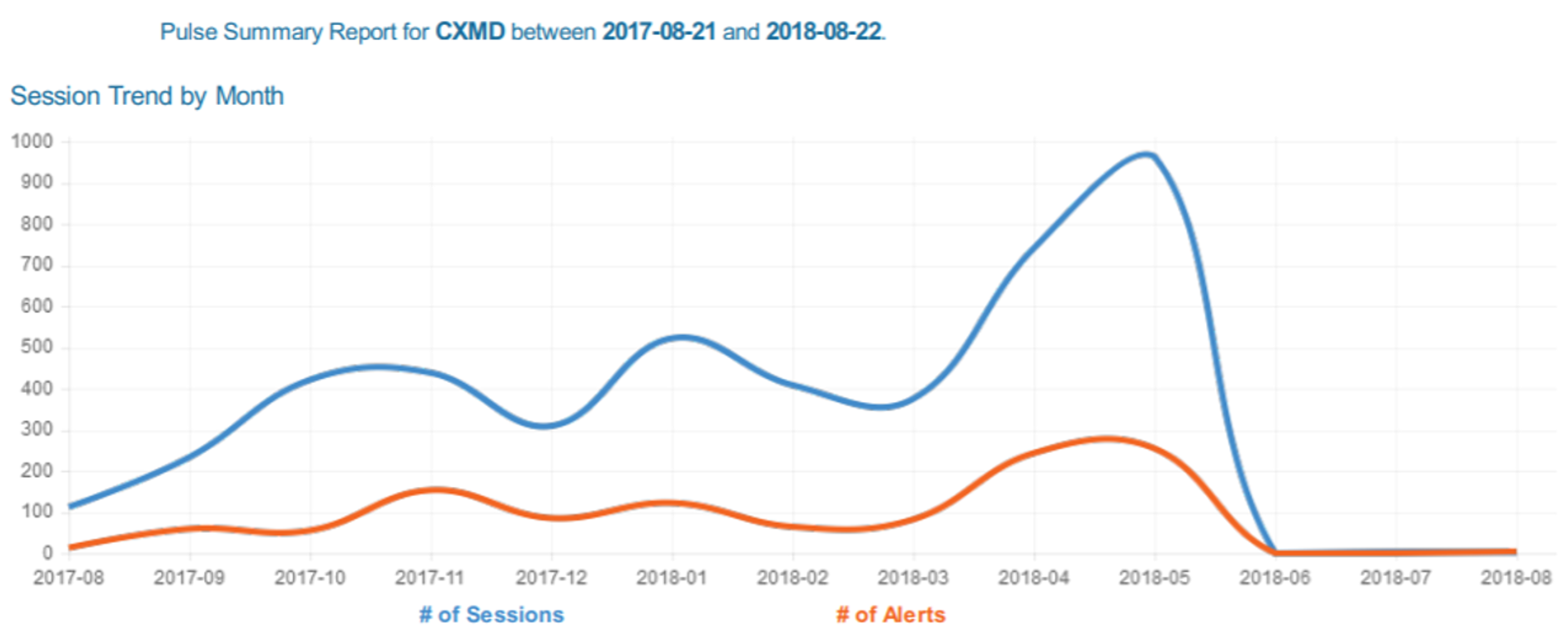
Pulse v5.8 introduces a brand-new report, the System Summary report. This report will help TM1 administrators to monitor the health of their TM1 instances.
-
How to implement version control to your TM1 objects
IBM Planning Analytics (TM1)
-
Getting started with Slice

Slice is free, easy to install with few dependencies, connected directly to the TM1 REST API, works over the internet, has built-in support for hierarchies, supports existing reports built in Perspectives and formula mode in PA for Excel.
-
5 reasons why you should use TM1py

As an IBM Planning Analytics (TM1) developer, you probably already got asked one of these questions:
-
How to install the Slice license

This article explains how to install the Slice license. In the Slice ribbon, if some features are greyed out like below, it means that your license has expired: