-
Getting started with Arc Server on Mac
Some features will work with TM1 10.2.2 but a number of important APIs are only present in TM1 11+, for this reason we can’t help you if you are on TM1 10.2.2 or earlier.
-
How Plugins work

A plugin is a functionality that you can add to Arc. Arc comes with a few plugins, you can see the full list in Arc/plugins folder:
-
How to create your plugins
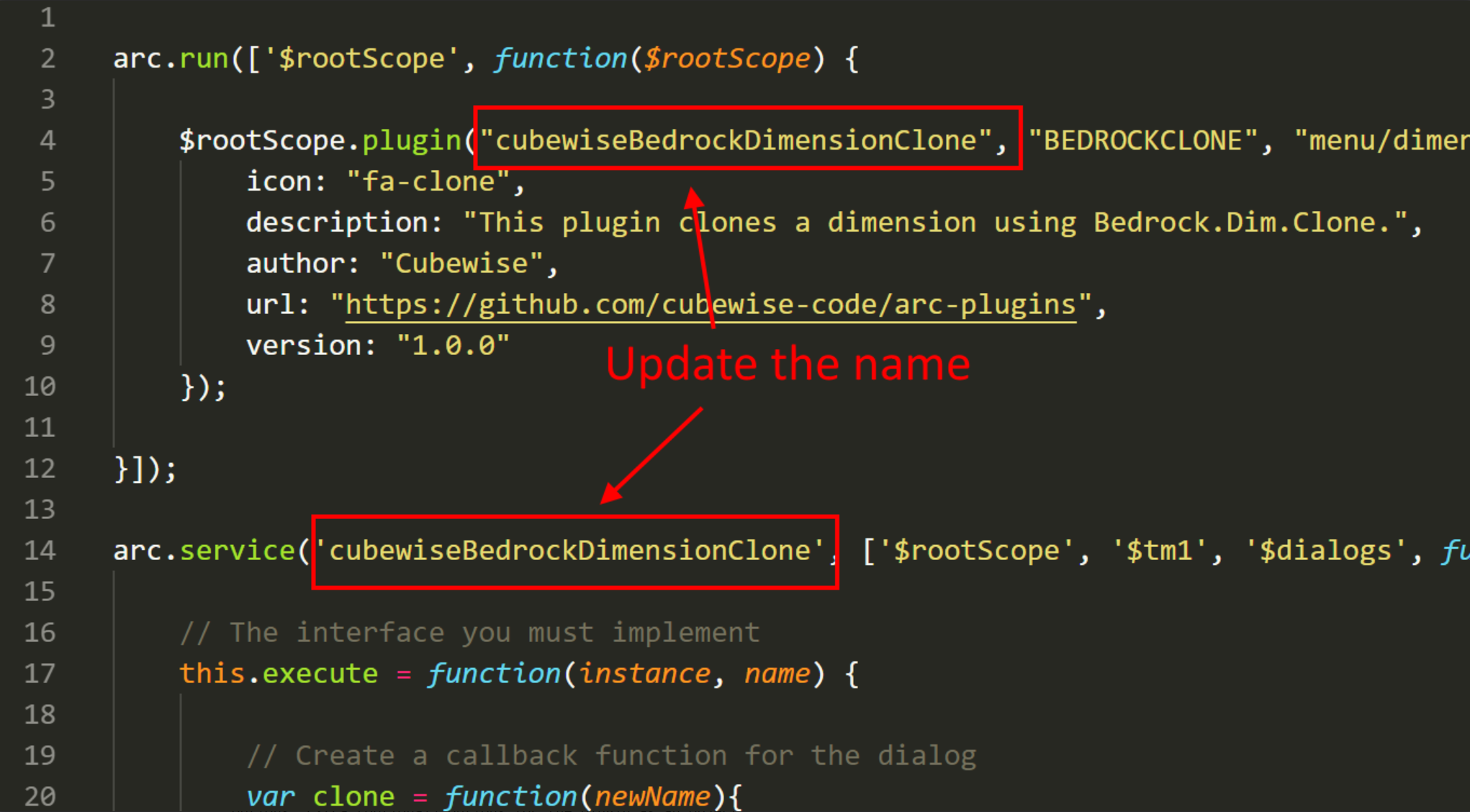
If you do not know what is a plugin in Arc, you should read first this Help article:
-
Cleansing the Pulse data
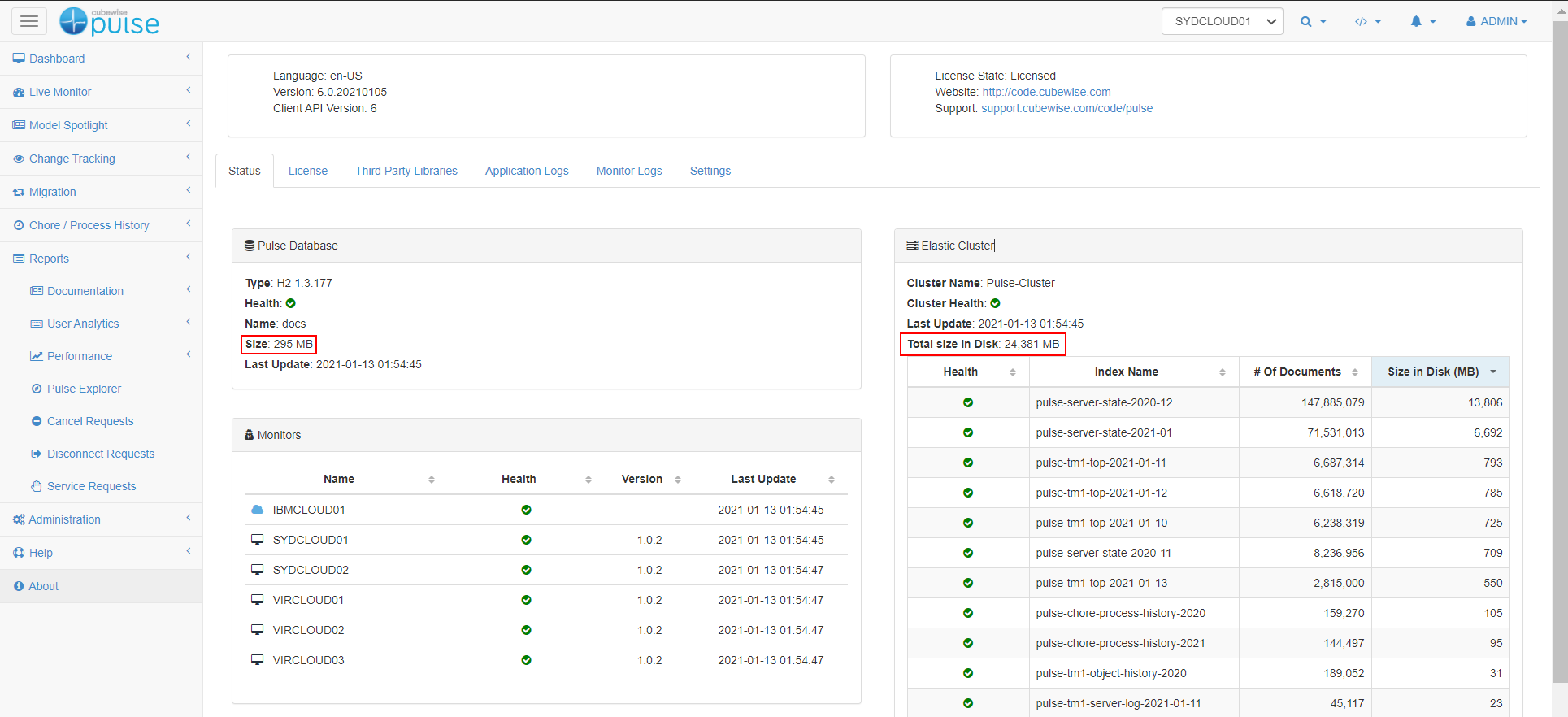
Pulse constantly monitors your TM1 instances and stores the information in a h2 database (or SQL Server if configured) and an Elastic cluster (Pulse v6 or later).
-
Generating an Arc license
These instructions are for customers who have purchased Arc. If you are new to Arc and just want to try it out see this article on setting up a trial:
-
Generating an Arc license without internet connection
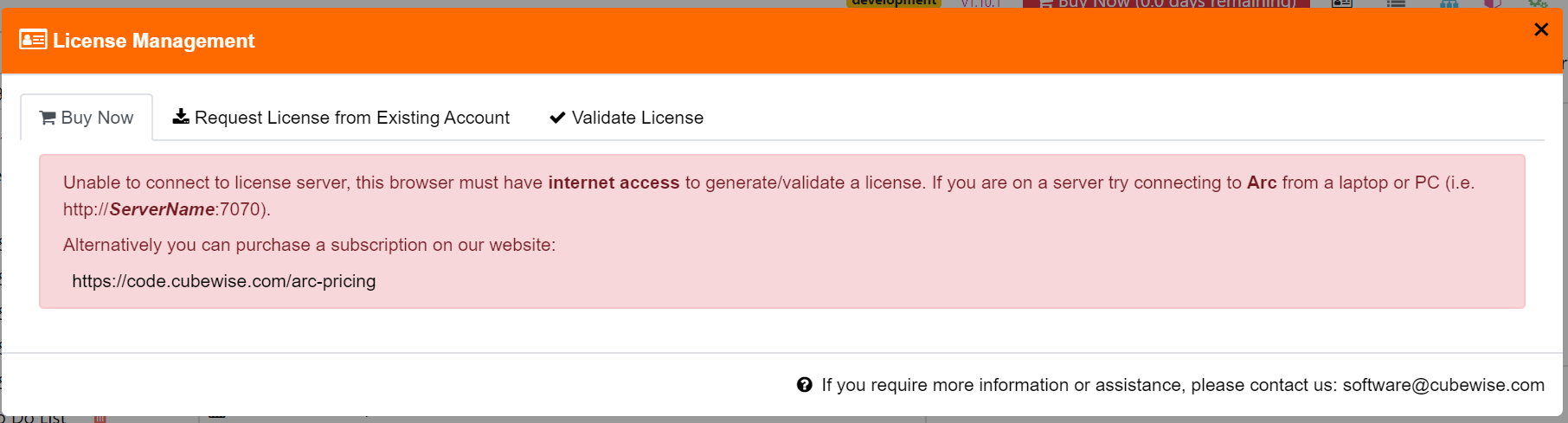
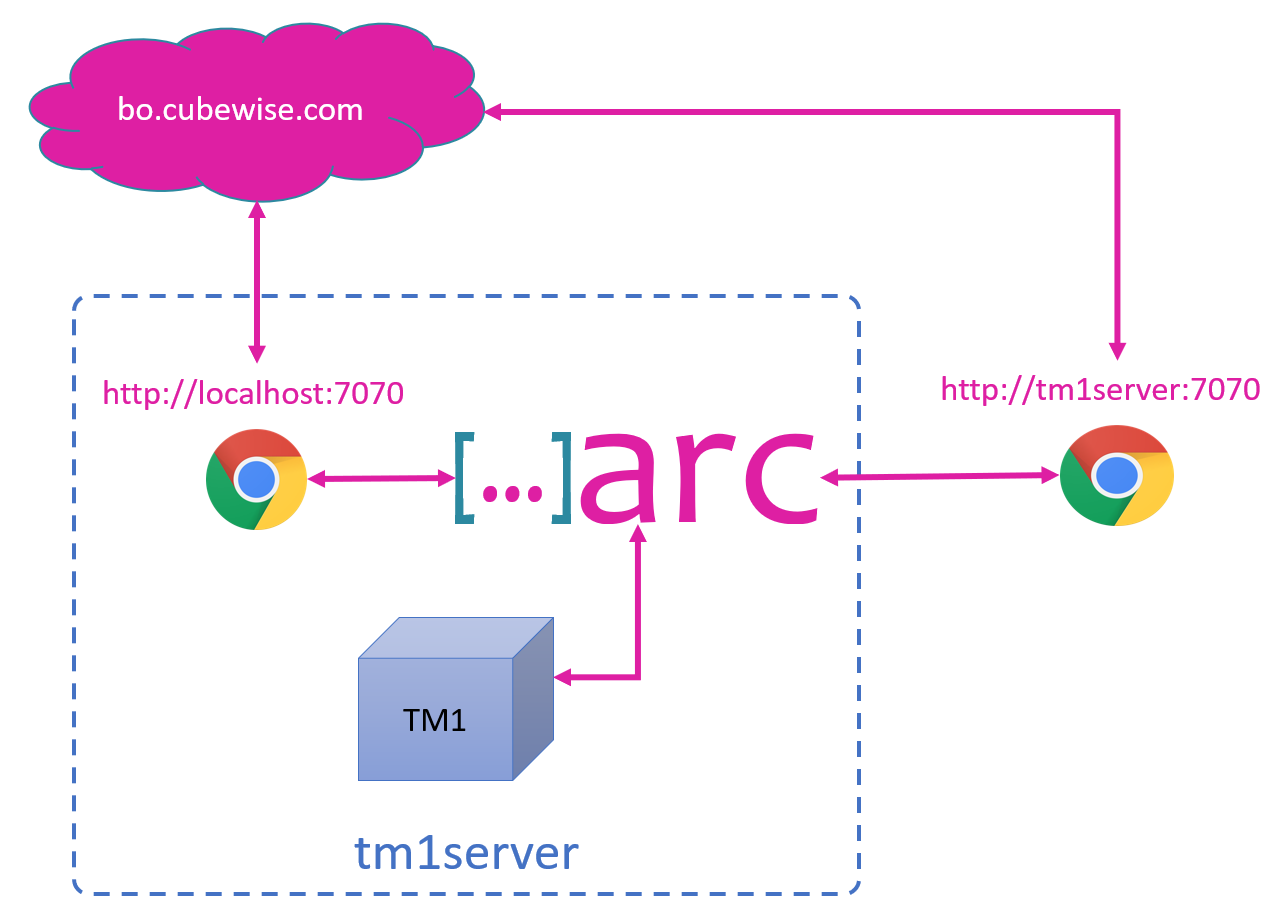
Arc cannot generate the license if the browser you are using does not have internet connection.
-
Initializing Arc with a server without internet connection
Arc is a single executable which has everything included, there is no installation required, as you can see in this getting-started video you can start using Arc in less than a minute!
-
How to enable/disable plugins
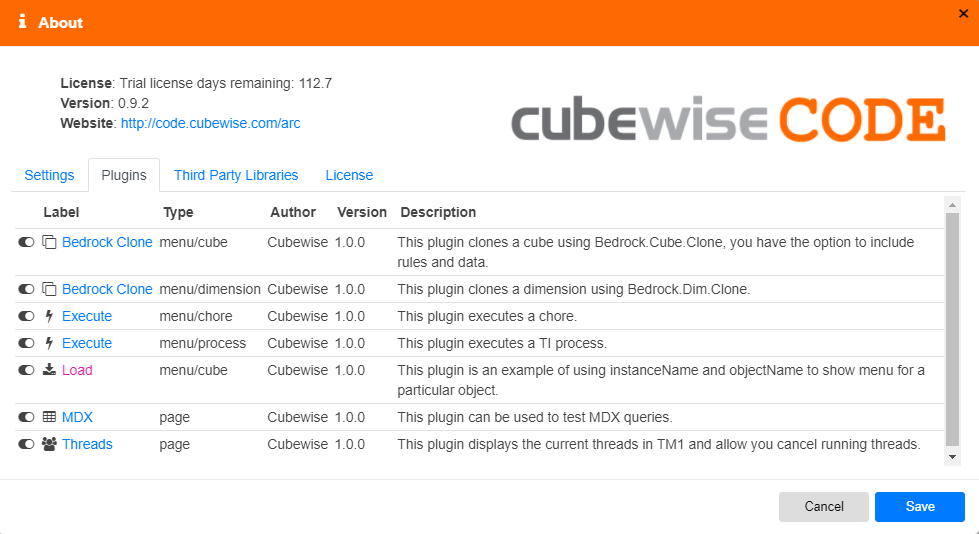
Arc comes with a few plugins which are enabled be default. To enable/disable plugins, just go to the About page in the plugins tab, you can then toggle on or off a plugin:
-
Creating a new validation rule

Pulse comes with a number of built-in rules that identify common pitfalls that may slow the system or make support difficult.
-
Cubewise Arc: approved by TM1 developers around the world!
IBM Planning Analytics, powered by the TM1 engine, is famous for its speed, scalability and world-class modeling capabilities. Over many years, the TM1 engine has been dramatically improved; with the advent of Arc, TM1 now boasts a modern developer experience befitting its status.